HTA Certified Dealer Portal
One Portal. Everything You Need.
All your HTA dealer assets, tools, sales resources, and marketing materials are now organized in one easy-to-access location.
No more hunting through emails for links. Your HTA Dealer Portal now houses the tools, logos, documents, and resources you need to promote your HTA Certification, strengthen client trust, and grow your business.
One Login Access key HTA resources from a single destination.
New Assets Tab Download logos, documents, sales tools, templates, and more.
Powerful Elevator Pitches Use ready-to-go talking points for clients and trade partners.
What’s Inside Your Portal
Use the Portal as your quick-access command center for HTA Certification assets, client-facing tools, trade partner messaging, and sales resources.
New
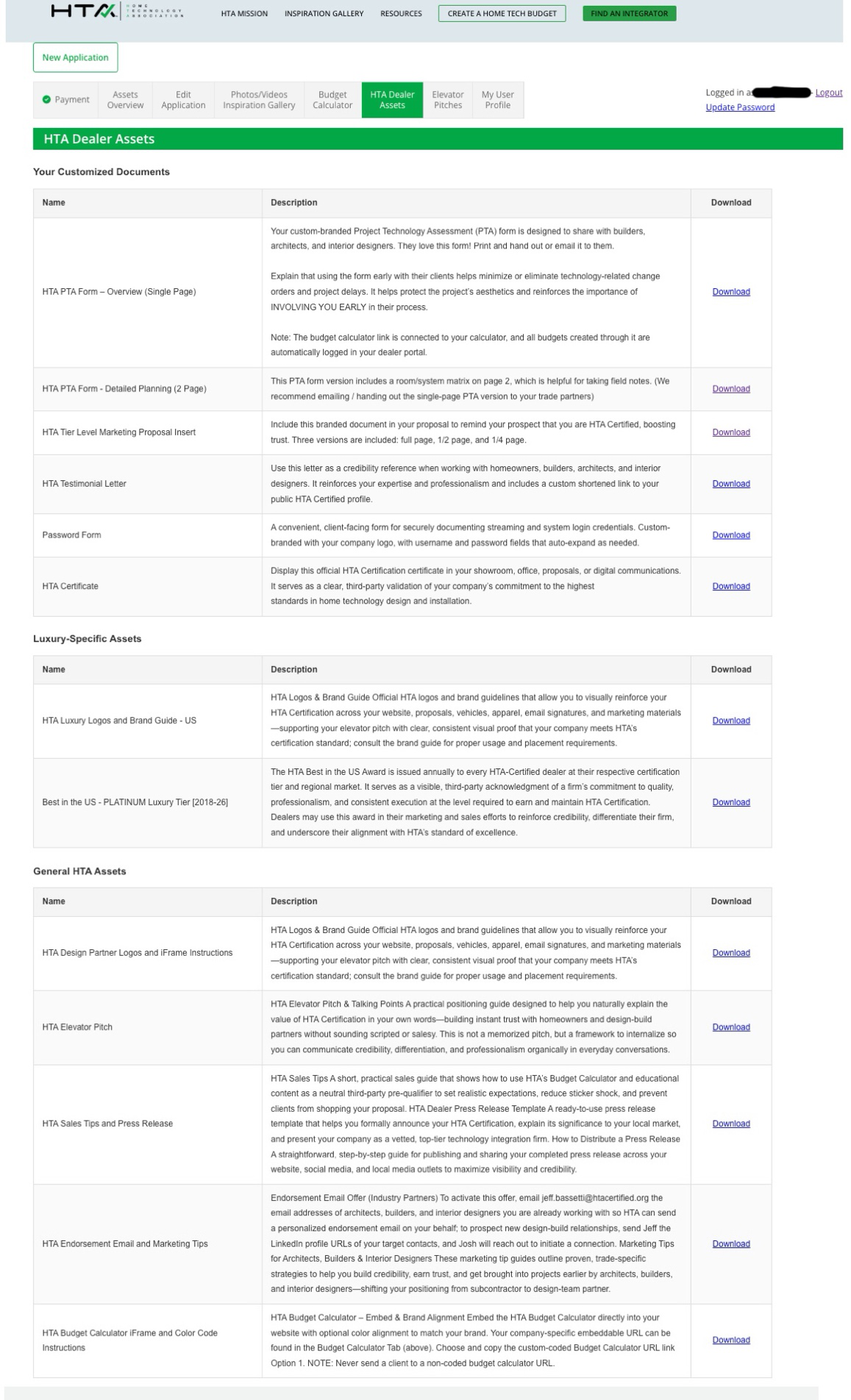
Dealer Assets Tab
Your one-stop download center for customized and general HTA assets.
- Customized documents, including Project Technology Assessment forms, proposal inserts, HTA testimonial letters, branded password forms, and your official HTA Certificate.
- Tier-specific assets, including HTA logos, brand guide, and Best in the US Award logos.
- General HTA assets, including sales tips, press release templates, endorsement email offers, Budget Calculator embed instructions, HTA Design Partner logos, and more.
New
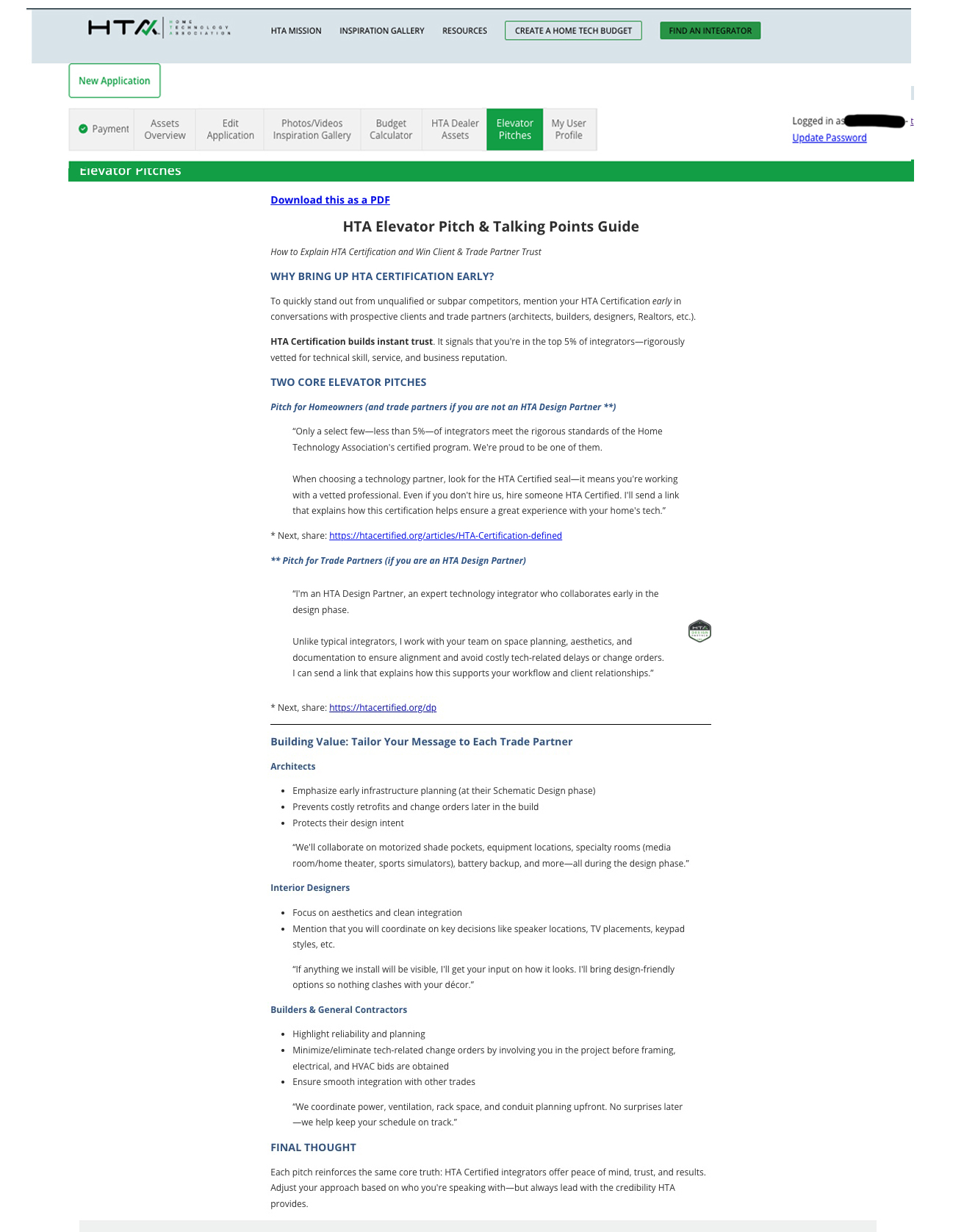
Elevator Pitches Tab
Your complete Elevator Pitch and Talking Points Guide, now built directly into the Portal.
- For homeowners: Easily position your firm as part of an elite group of integrators, vetted for skill, service, and reputation. Builds more trust quickly. It’s a great way to eliminate competition.
- For architect, builder, and interior designer trade partners: Differentiates you quickly and emphasizes your role as a design team partner. Designed to get you hired earlier.
- Tailored by trade: Talking points for architects, interior designers, and builders, each focused on what matters most to them.
03
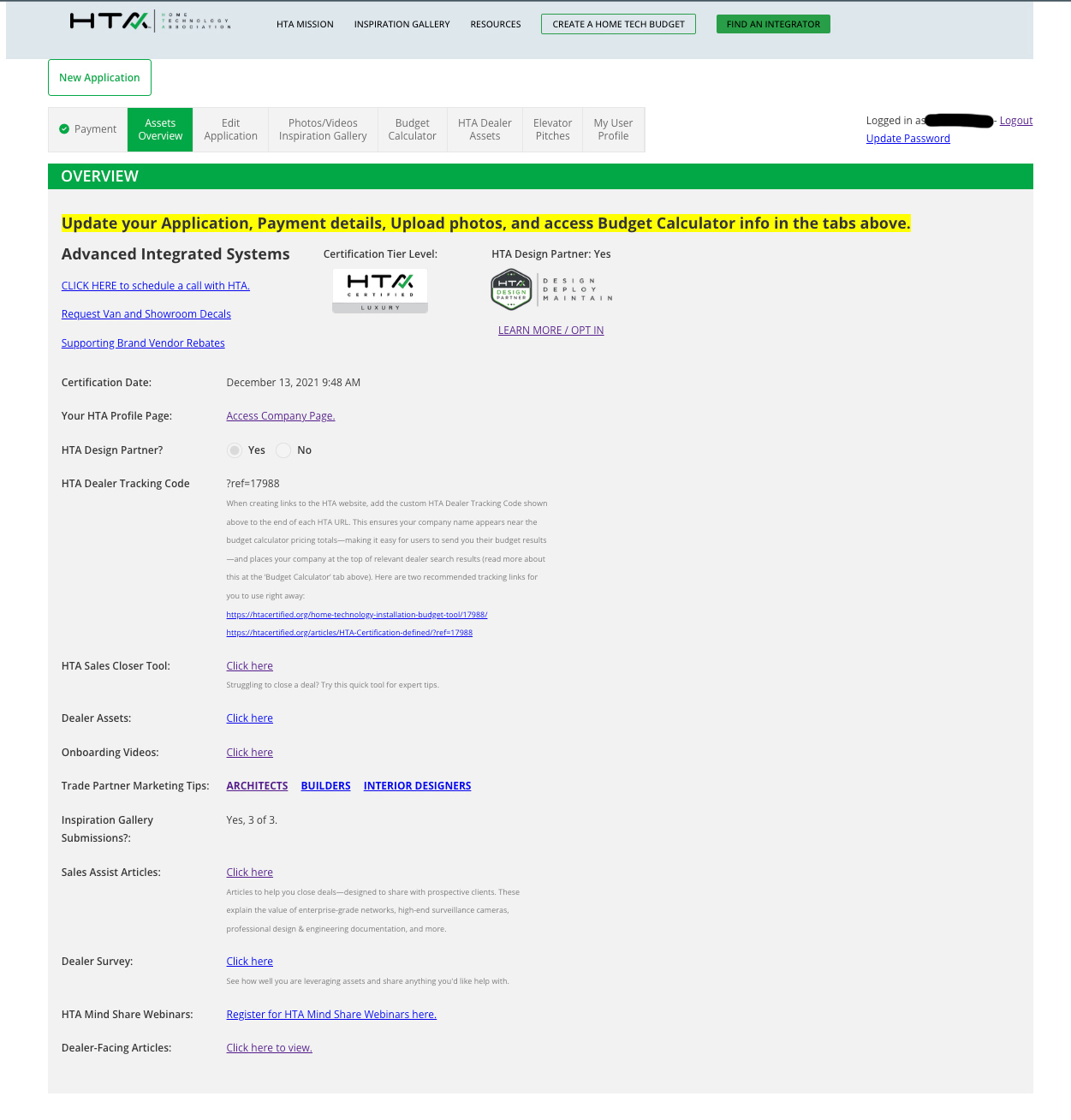
Asset Overview
Your quick-access launch pad. See your certification tier, HTA Design Partner status, dealer tracking code, and links to key tools at a glance.
- Review your HTA Certification details.
- Find your tracking code and key dealer links.
- Use it as mission control for your HTA membership.
04
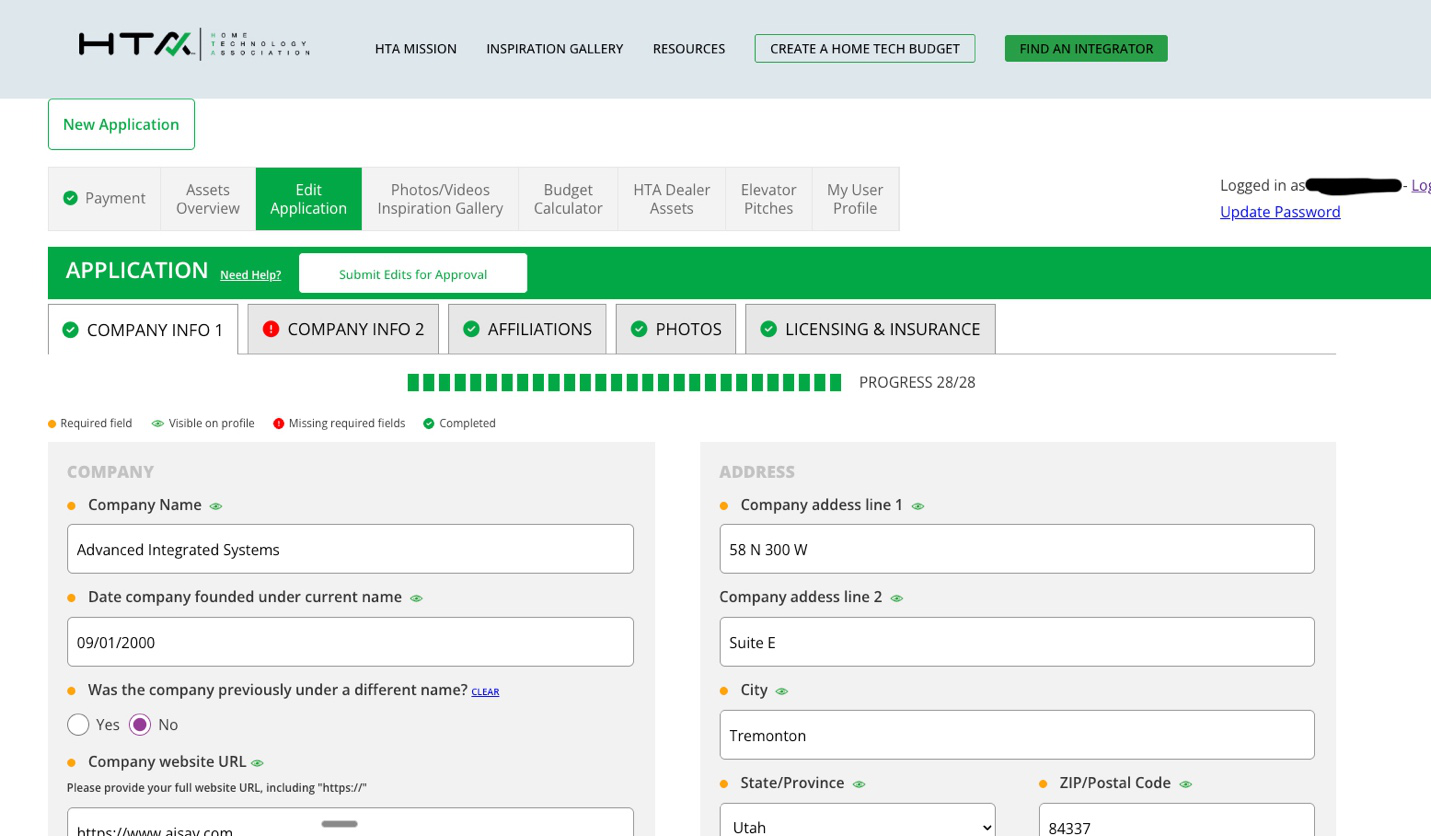
Edit Application
Keep your profile current. Most changes made here reflect immediately on your public HTA company page.
- Update company information, contact details, and service areas.
05
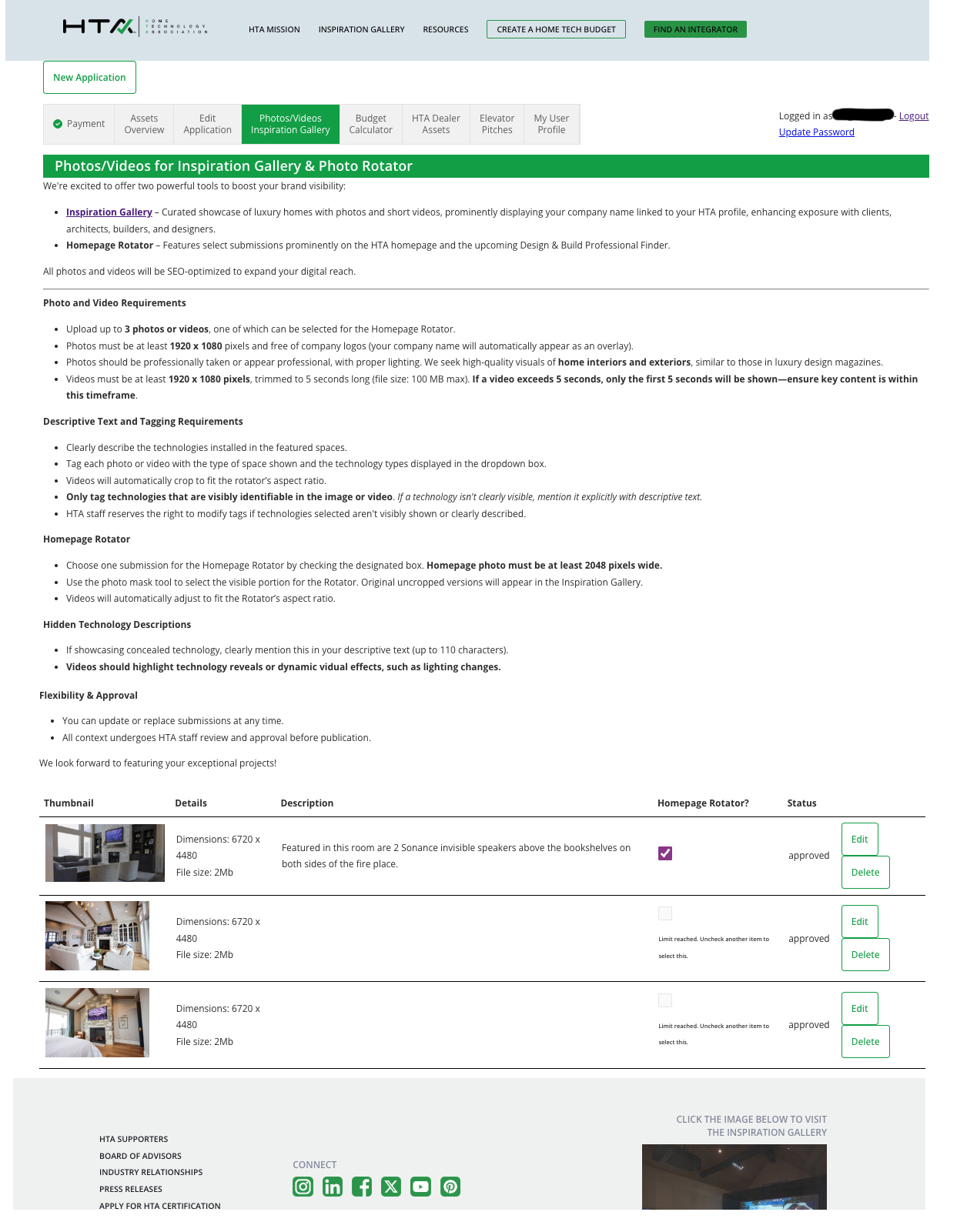
Photos & Videos Inspiration Gallery
Think of this as “Pinterest” for the custom integration industry. Upload up to three photos or videos showcasing your best luxury installations.
- Submit work that belongs in a luxury architectural magazine.
- Show homeowners and trade partners your craftsmanship.
06
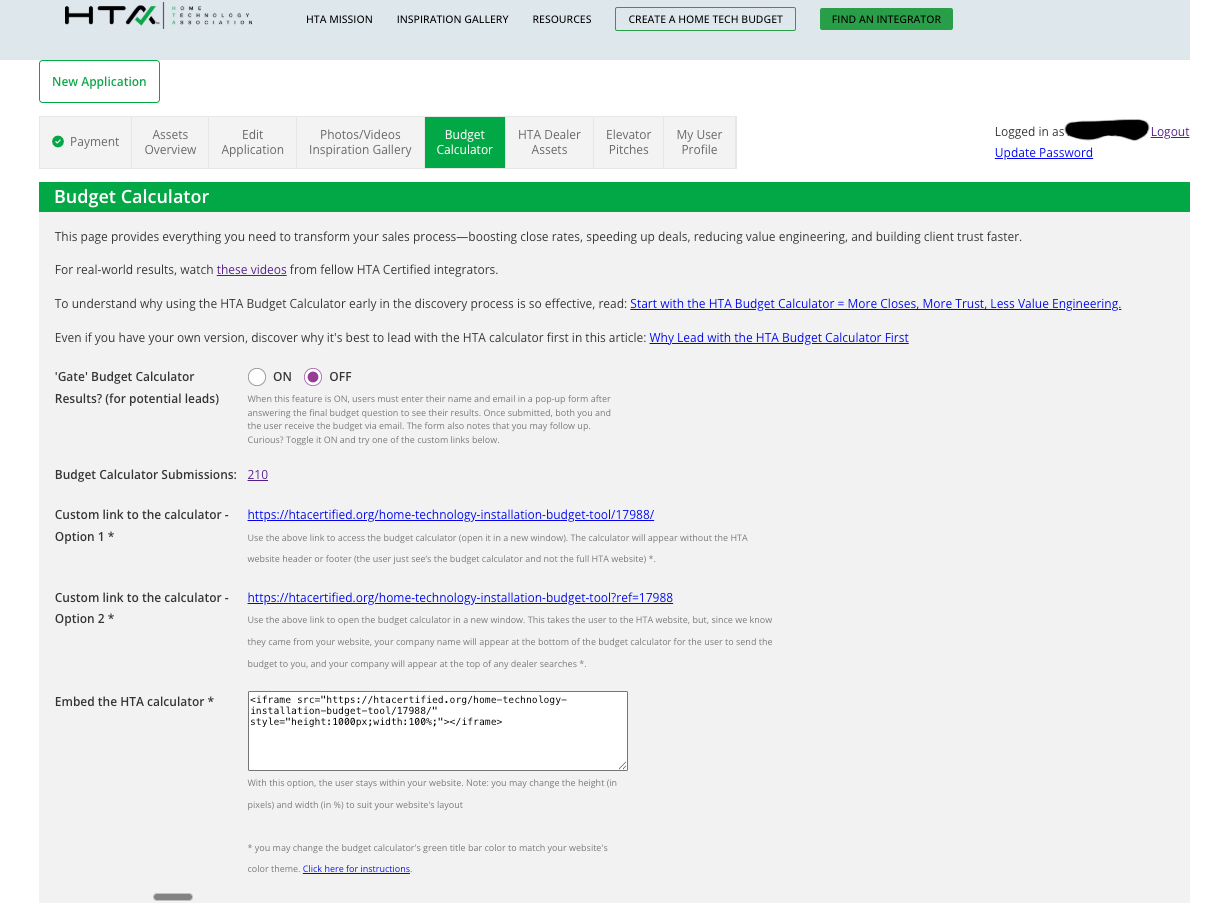
Budget Calculator
Everything you need to transform your sales process with the HTA Budget Calculator.
- Lead with the HTA Budget Calculator in discovery conversations to build trust, reduce value engineering, and speed up close rates.
- Access your standard dealer-specific calculator links and embed code, or use the new HTA Budget Calculator Link Builder to create versions that complement your website’s colors.
- Track how many budgets have been run with your dealer code.
- Toggle the "Gate" on or off. Gating the calculator can turn it into a lead source.
Step 1
Log In
Use your existing username and password to log in at htacertified.org/login. Select “Forgot Password” if you need to reset.
Step 2
Review Your Assets
Download the logos, documents, proposal inserts, sales tools, and messaging resources most useful to your team.
Step 3
Put Them to Work
Use the Portal resources in your website, sales process, trade partner outreach, client meetings, and proposals.
Your Portal. Your Competitive Edge.
Everything the HTA has built for you is now at your fingertips. One login, one destination, and no more missing the tools that help you win better projects and build stronger trade partner relationships.